Springsmanm
New member
- Joined
- Jun 17, 2025
- Messages
- 1
- Reaction score
- 0
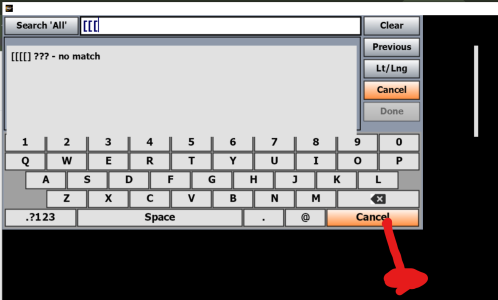
I'm trying out IFly EFB on my microsoft Surface pro 2 with MS 10. The resolution of the tablet doesn't seem to match the buttons. I can't click on the particular button I want, but instead have to guess where I need to click to get the feature I want. I find that I must click down and to the right below the button in order to actuate the button. As it is, this makes IFLY EFB unusable. In the attached picture the red blob show where I must click to enable the Cancel button. Please help.