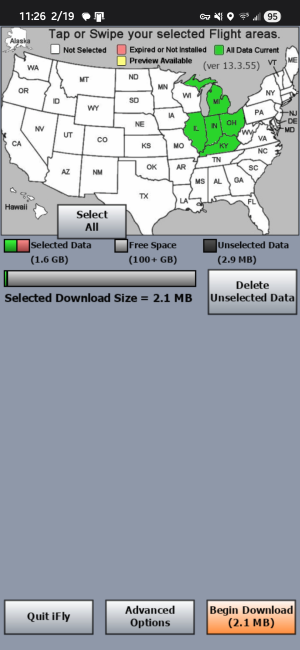
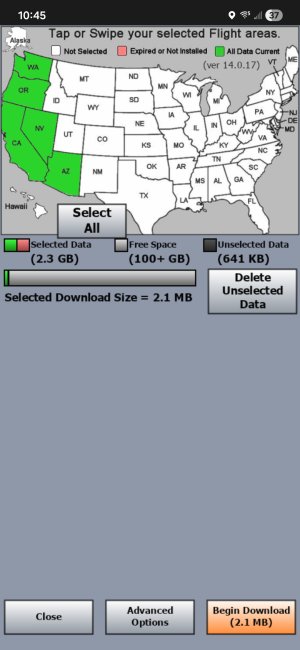
Same thing happened to me this afternoon!
All was well. I downloaded updated databases last night (2026-03-19). All was well - app working as it always have as I planned a flight for this afternoon.
Opened iFly this afternoon (2026-03-20) as I prepared to fly ...
- iFly immediately demanded an internet connection - Interet Issue - Can't Reach Server is the title of the modal dialogue. (This is before the map screen or any other useable/useful screen has been made available.) Options are to Shutdown iFly or Try Again
- I am sitting in the cockpit. I don't have an internet connection and never have.
- iFly is insistent! Shutdown and restart has the same result. So, I make my phone a hotspot and connect my tablet to it.
- After giving iFly an internet connection, I am taken to the update screen (with the map) - all of my chosen states are green.
- Options are to Quit iFly, Advanced Options, and Begin Download (0 bytes)(this last one is greyed out)
- Advanced Options reveals no helpful options (other than to email a bug report; and email is NOT something I've set up this tablet to do - it is dedicated to flight apps).
- Quit iFly ... quits iFly and loops me back thru the same steps I've listed when I restart it.
- Given no viable options, I chose to de-select one of my green states and Delete Unselected Data.
- This results in no meaningful change to the update screen - other than that my previously green state is no longer green, since I'd deleted the data.
- Given STILL no viable options, I chose to re-select that deleted state and download its data (over my phone's cellular data connection).
- Following this re-downloading of a state's data, I am - at last - able to get to the main map screen ...
- ALL of the controls and the plane icon are super translucent - a state they have never before been in. They are barely readable and are, hence, unusable in flight on a sunny day in a low-wing with canopy.
I was able to detail all of the above as I'm now sitting at home in my armchair, having rebooted my tablet, only to have iFly repeat the behaviors I experienced in the cockpit earlier today.
To answer questions posed above:
- Setup > Screen/Audio Settings > Screen Brightness = 100%, Night Mode enabled
- Changing these settings does NOT change the faded map interface elements
- Setup > Screen/Audio Settings > Button Fading (Off)
- Changing these settings does NOT change the faded map interface elements
- iFly version - 13.3.55
- Yes - I have successfully used this version of the software multiple times on previous flights
- Also, note that I am NOT seeing a prompt for a 2.1 MB download as detailed by JFCiFly above.